How to play full chords with one key
Not every producer plays keys, and not every idea needs two hands. One-key chords let you find a progression with a single finger, and when the chords follow your song's key, every note you press still fits.
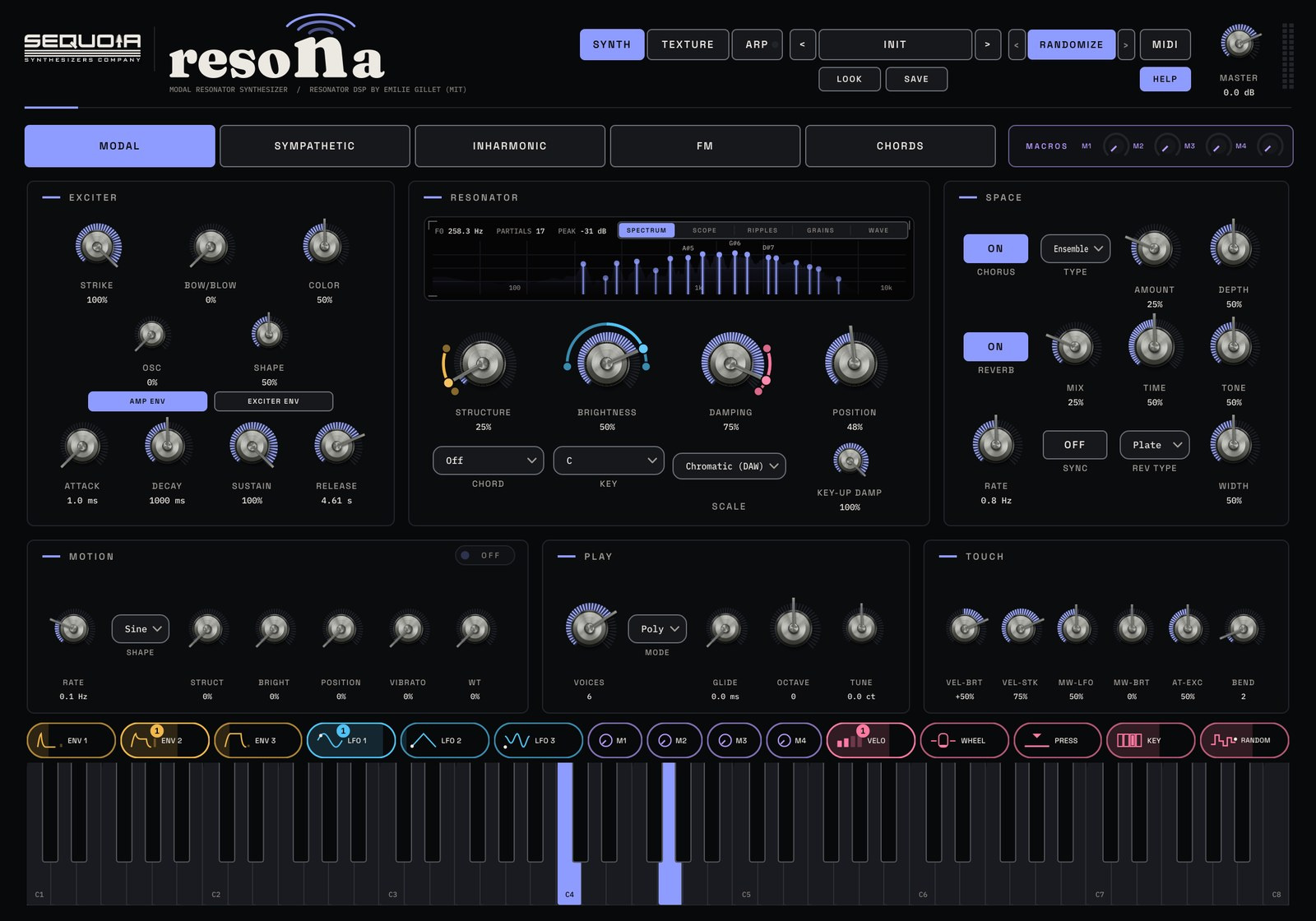
Two kinds of one-key chord
There are two ways to turn one note into a chord. A fixed shape stacks the same intervals on every key, so a minor seventh stays a minor seventh wherever you play it. That parallel movement is the classic sound of house and dub techno stabs. A diatonic chord changes its quality to fit the key: in C major, C gives C major, D gives D minor and B gives a diminished chord. That is how most songs move from chord to chord.
Fixed shapes for stabs and pads
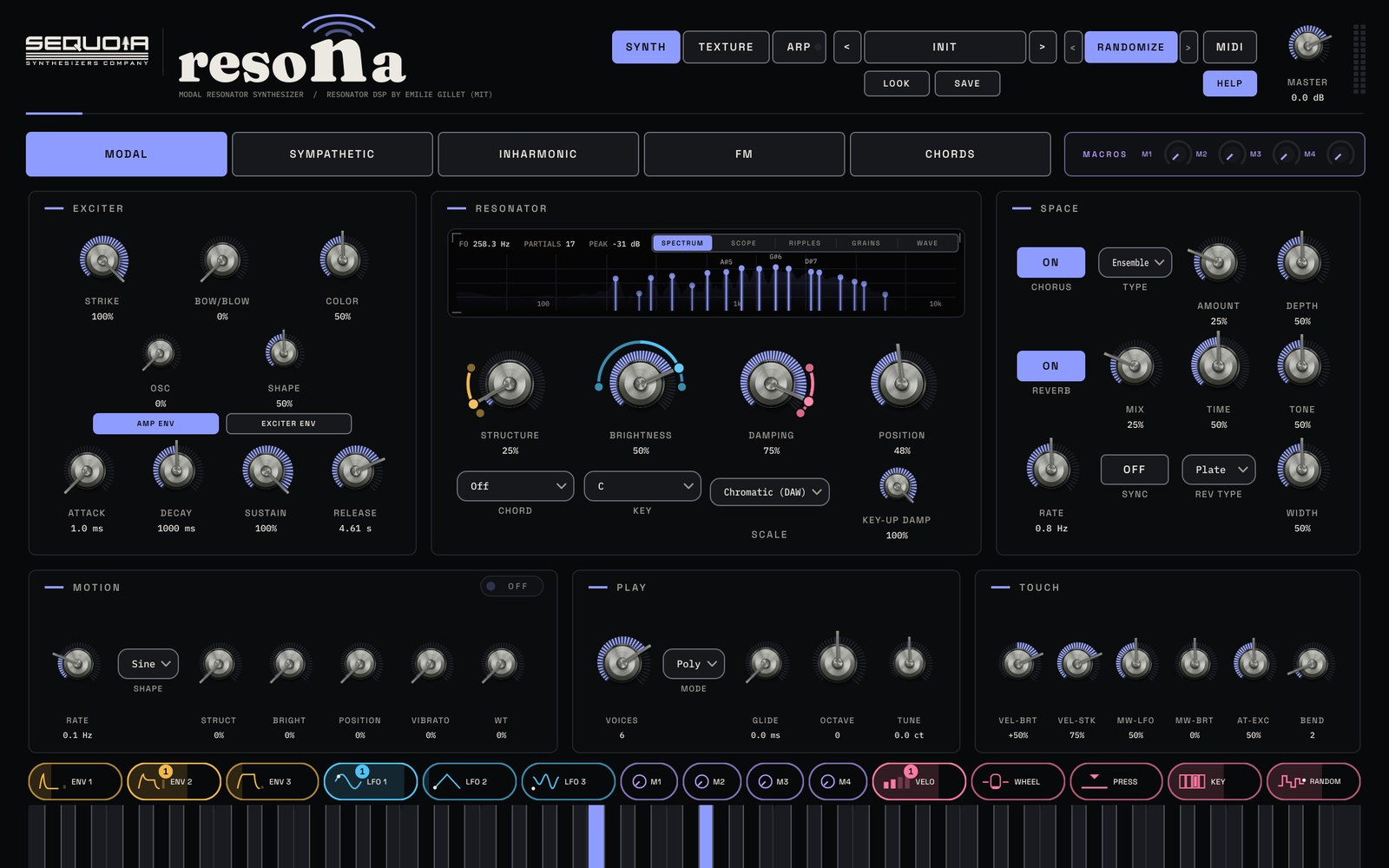
In RESONA, the CHORD menu sits under the four resonator knobs. Choose Octaves, Fifths, Minor, Major, m7, Maj7, m9, m11, add9, add11 or sus4, and every key you press plays that chord. Fifths and Octaves keep things open and suit basslines and drones; m9 and m11 give the lush, smoky stab. Because every note gets its own ringing object, each part of the chord reacts to how hard you play.
Diatonic chords that follow your key
Choose Diatonic Triads or Diatonic 7ths, then set KEY and SCALE to match your song. Now each note of the scale plays the chord that belongs to it. Press the first, fourth and fifth notes of the scale for a classic progression, or the sixth, fourth, first and fifth for the one heard in countless pop and trance tracks. Diatonic 7ths add the seventh to every chord for a softer, jazzier colour.
Never hit a wrong note
SCALE snaps every note you play into the scale you pick: Major, Minor, Dorian, Mixolydian, Harmonic Minor, Pentatonic Major, Pentatonic Minor, Blues, or User, where you click the notes your own scale should use. With a scale set, you can play by feel across the whole keyboard and every note still fits. Leave it on Chromatic when you want every note exactly as you play it.
Let strings ring the chord
The Chords model works differently. Instead of stacking more notes, it tunes a set of sympathetic strings to the CHORD setting around every note you play, so a single key rings out as a full chord with a shimmering halo. The manual's starting point: Chords model, CHORD Maj7 or m9, KEY and SCALE set to your song, Ensemble on, Reverb Plate.
Rhythm, level and next steps
For rhythmic stabs, open the ARP page, switch it on, set Mode to Chord, pick a Rate and draw short notes in the Gate lane; Latch keeps it playing after you let go. Keep an eye on the CLIP light: long Damping with many voices and chords adds up quickly, so turn MASTER down a little. For struck and bell-like chord tones, read the modal synthesis guide, and to keep a chord moving for bars at a time, try the evolving arpeggios guide.
Questions
How do I play chords with one finger?
Use a chord feature that stacks notes on every key. In RESONA, pick a shape in the CHORD menu, or choose Diatonic Triads or Diatonic 7ths and set KEY and SCALE so the chords follow your song's key.
What is the difference between parallel and diatonic chords?
Parallel chords keep the same shape on every key, which gives the classic stab sound. Diatonic chords change between major, minor and diminished so that every chord belongs to one key, which is how most progressions are built.
Can I use my own scale?
Yes. Set SCALE to User and click the notes your scale should use. Every note you play then snaps to those notes.
Try it with RESONA
Modal resonator synth plugin. See RESONA →
$9935% off for the sign-up list at launchStore links and the 14-day free trial go live at launch. The trial just needs a free Sequoia account.