Modal synthesis explained: bells, mallets and ringing textures
Most synths start with a waveform and carve it down. Modal synthesis works like a real instrument: something sets an object moving, and the object decides how it sounds. That is why it is so good at bells, mallets, strings and anything that rings.
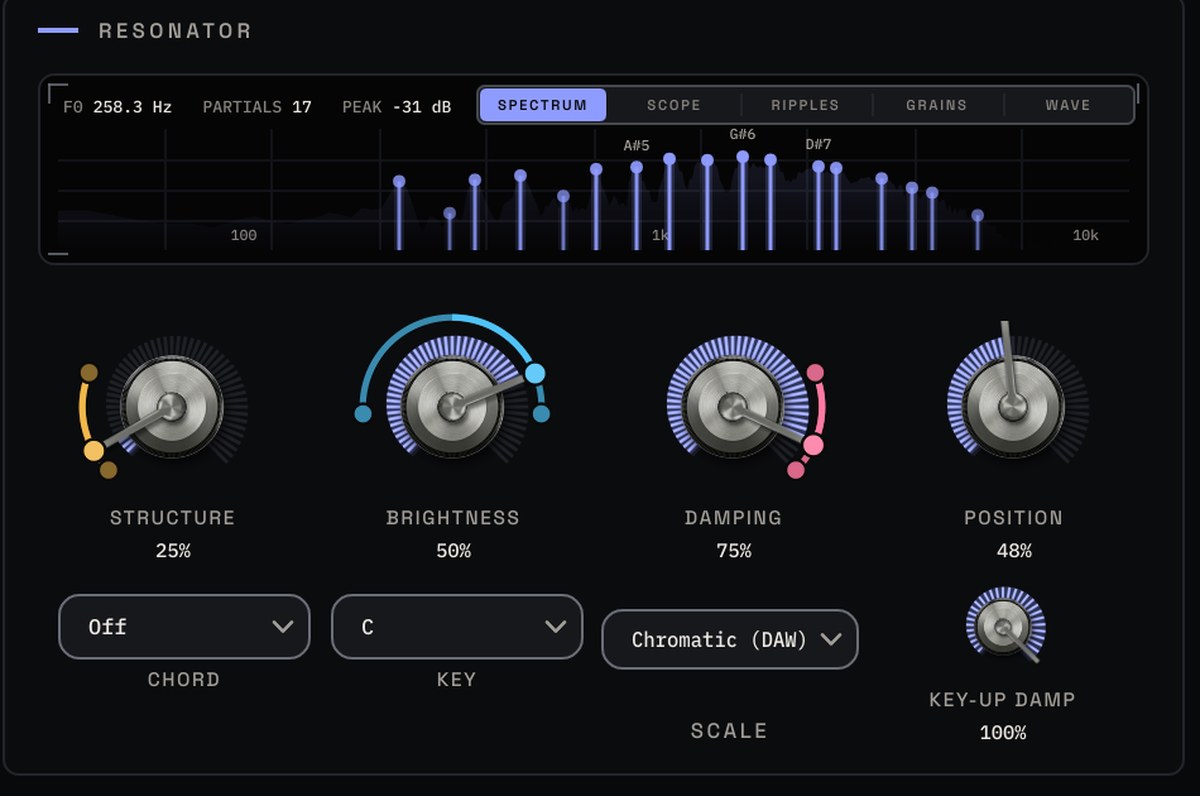
Exciter and resonator
A modal synth has two halves. The exciter is how the object is played: struck, bowed, blown or driven by an oscillator. The resonator is the object itself: a set of tuned resonances, called modes, that ring after the exciter has done its work. Change the material and the modes change, so the same strike can sound like wood, glass or metal.
Pick a model
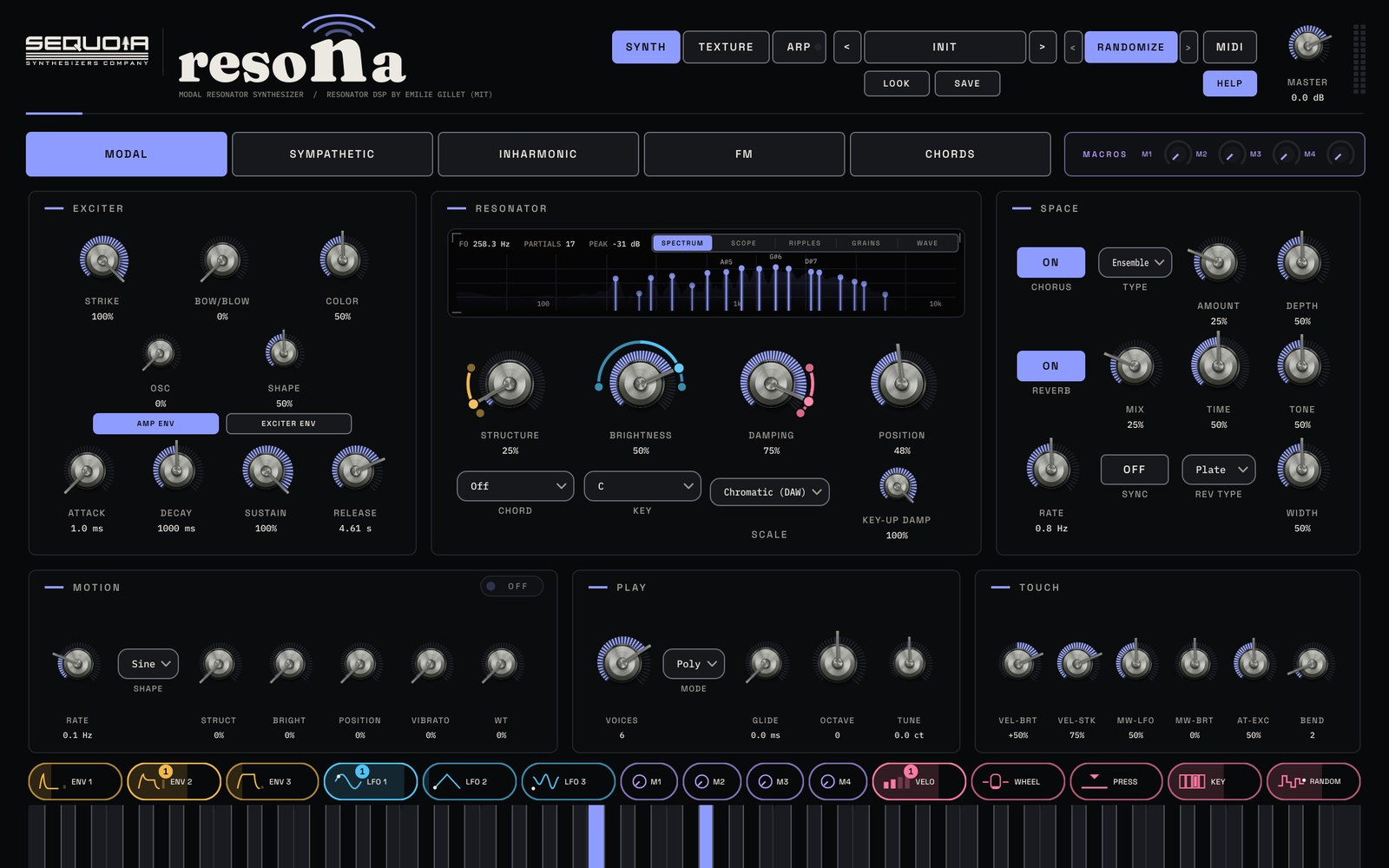
RESONA has five resonator models: MODAL for bars, tubes, plates and bells; SYMPATHETIC for a string with drone strings ringing alongside; INHARMONIC for one stiff string, from harp to piano wire to metal; FM for tines, electric pianos and bell stacks; and CHORDS, where one key plays a full, ringing chord.
Four knobs, any object
- STRUCTURE turns wood into glass and metal.
- BRIGHTNESS opens the top end.
- DAMPING sets how long it rings.
- POSITION moves where the object is struck, which changes which modes sound.
Watch every partial ring out on the display above them.
How you play it
Mix STRIKE, BOW/BLOW and a tuned oscillator freely. Strike alone gives mallets and bells. Turn up BOW/BLOW and the object keeps singing while you hold a key, for pads and drones. COLOR runs from soft breath to scratchy bow, and KEY-UP DAMP decides what happens when you let go.
Starting points
- Glass bell: MODAL, STRUCTURE high, BRIGHTNESS high, DAMPING low for a long ring, STRIKE only.
- Marimba-style mallet: MODAL, STRUCTURE low for wood, DAMPING higher for a short note, POSITION near the middle.
- Bowed drone: SYMPATHETIC, BOW/BLOW up, slow amp envelope, then the granular engine on the TEXTURE page for an evolving bed.
Add the built-in chorus, ensemble or ping pong delay and the hall or plate reverb, and drag CHIPS onto the big knobs so the object changes as you play.
Try it with RESONA
Modal resonator synth plugin. See RESONA →
$9935% off for the sign-up list at launchStore links and the 14-day free trial go live at launch. The trial just needs a free Sequoia account.