LUFS and true peak: mastering for streaming
Streaming services play every song at a similar loudness, so a master pushed as loud as possible gets turned down and only keeps the damage. Knowing three numbers, integrated LUFS, short-term LUFS and true peak, helps you master with more punch and less distortion.
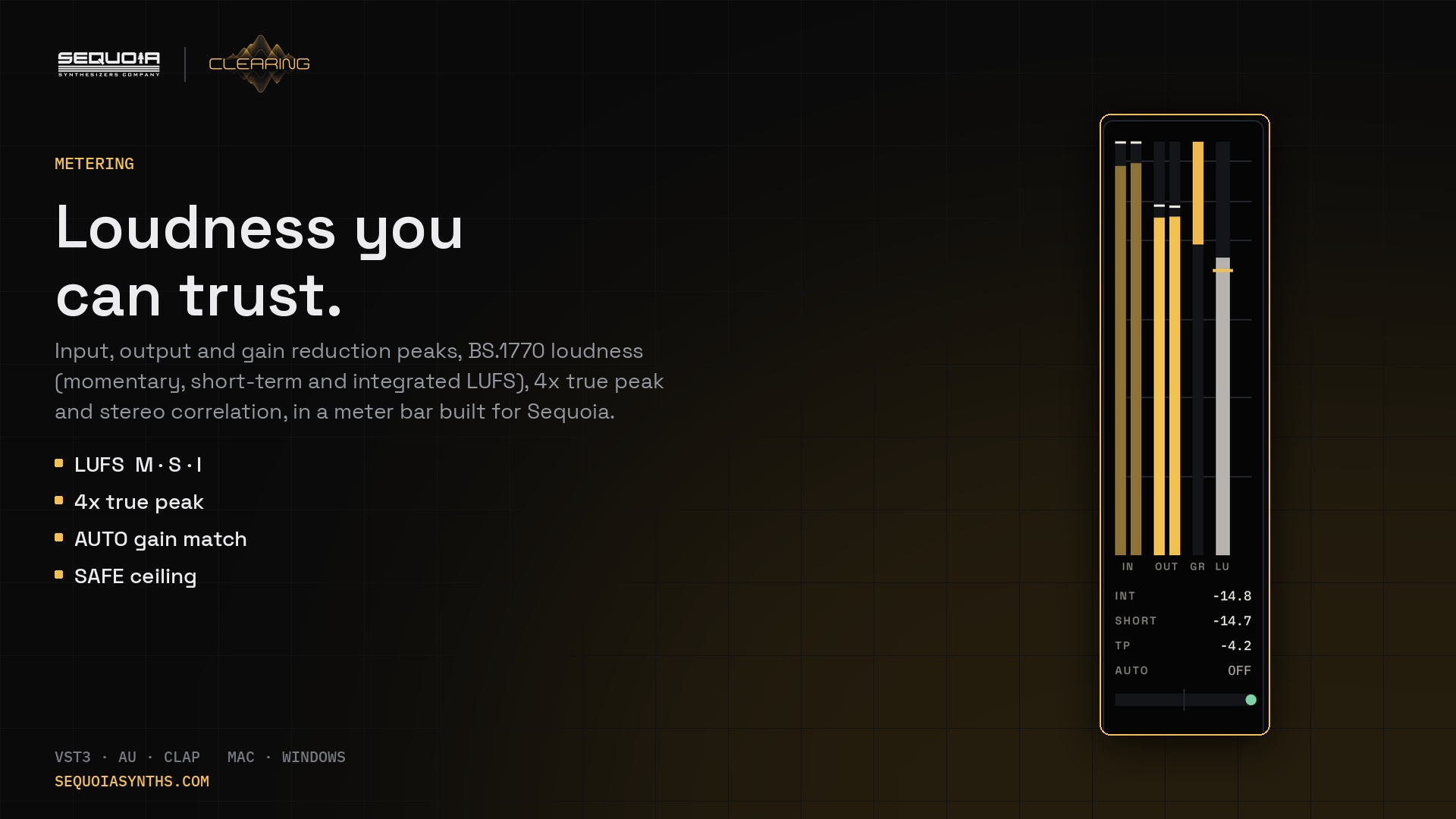
The three numbers
- Integrated loudness (LUFS): the average loudness of the whole song, measured the way our ears hear it. This is the number streaming services use to set playback level.
- Short-term and momentary loudness: the loudness over the last three seconds and the last 400 milliseconds. Useful for comparing a drop with a breakdown.
- True peak: the highest level of the real waveform, including the peaks that fall between samples. These inter-sample peaks can distort when the file is converted or encoded.
Why loudness normalisation matters
Most streaming services normalise music to a reference level, commonly somewhere around −14 to −16 LUFS integrated. A master at −7 LUFS is simply played back quieter, but it keeps the flattened transients. A master with more dynamics often sounds bigger after normalisation, because the kick and snare still hit.
There is no single right number. Dance music is often mastered louder than that reference on purpose. What matters is that you choose, rather than squeeze by habit.
Measuring with CLEARING
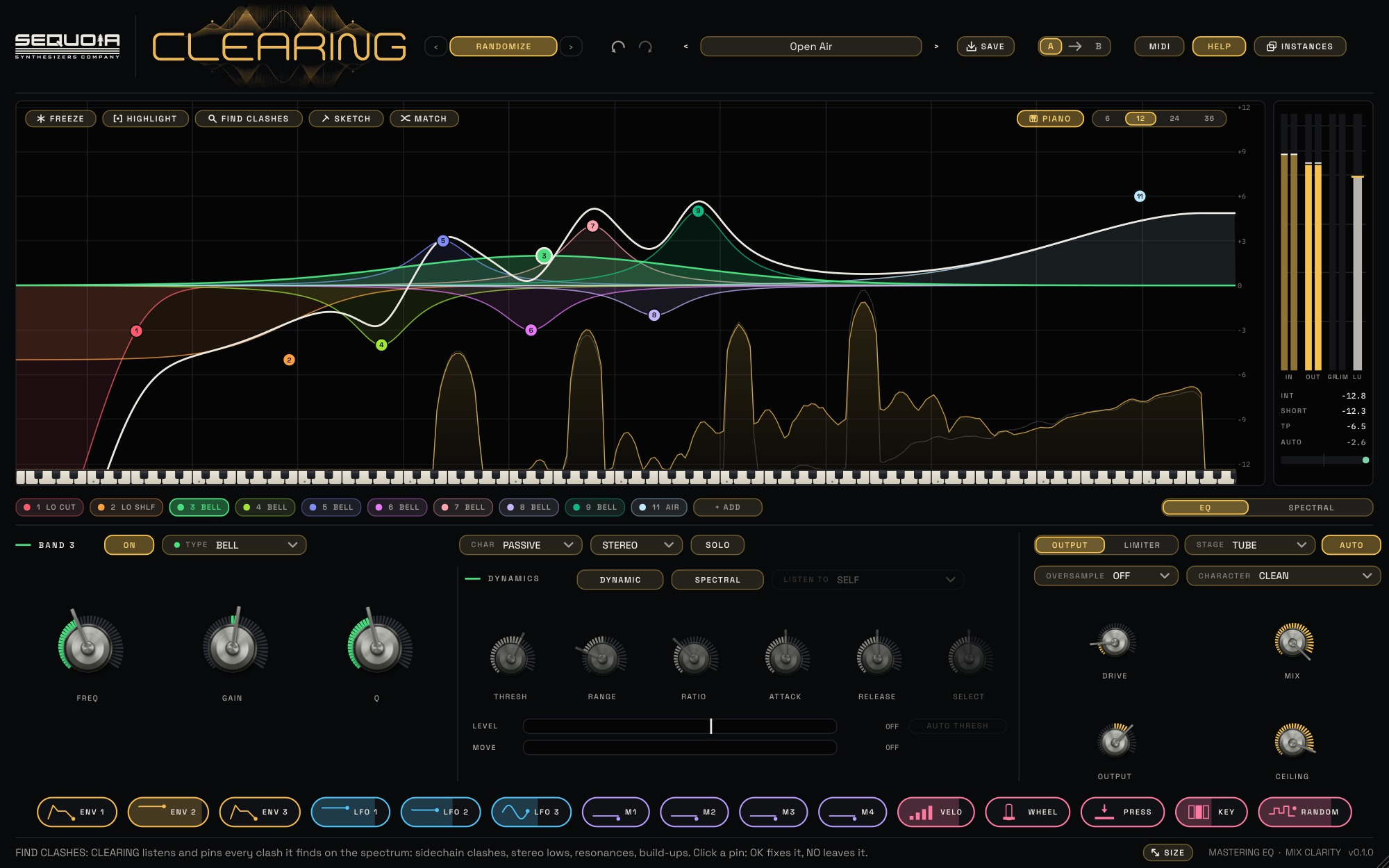
The meter bar in CLEARING shows input and output peaks with hold marks, gain reduction and short-term loudness with a tick for momentary. Underneath it reads integrated loudness (INT), short-term (SHORT) and true peak (TP), including the peaks between samples. Click the meter bar to restart the integrated measurement, then play the whole song from start to end.
A simple workflow
- Put CLEARING last on the mix bus. Shape the tone with broad bands and keep AUTO on, so you judge tone, not level.
- Bring the level up with your limiter until the drop feels right, then read INT over the full song.
- Turn on SAFE and set CEILING, for example to −1 dB, so no peak passes it. Check TP stays below.
- Watch the stereo correlation: left of centre means parts of the mix would cancel in mono.
Tip: less low-end mess, more loudness
Wide, uneven lows eat headroom. A low cut on SIDE at 100 to 150 Hz keeps the bass mono, so the limiter works less hard and the master gets louder cleanly. The Master presets in CLEARING include streaming-ready ceilings to start from.