How to find frequency clashes in a mix
Frequency masking happens when two sounds fight over the same range and one hides the other. Finding the exact spot by ear can take a long time. Here is how to find clashes quickly and pick the right fix for each kind.
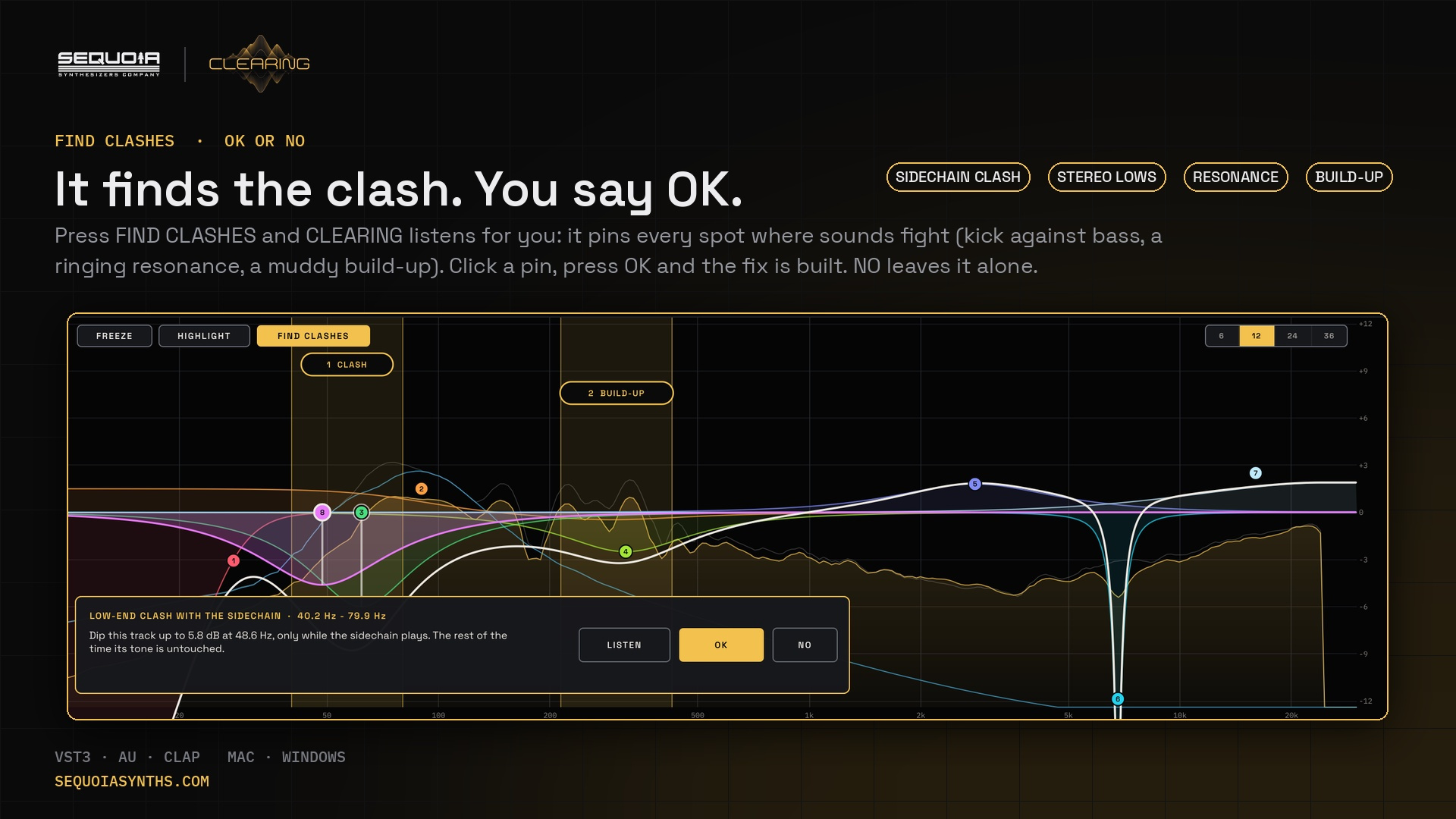
Four kinds of clash
- Clash with another sound: kick against bass, vocal against synths. Both need the same range at the same time.
- Stereo lows: low frequencies spread wide in stereo, which sounds vague and can partly cancel in mono.
- Resonance: one narrow frequency that rings out above the rest, like a boomy bass note or a harsh snare ring.
- Build-up: a broad area where many sounds pile up, typically the low mids.
Let CLEARING listen for you
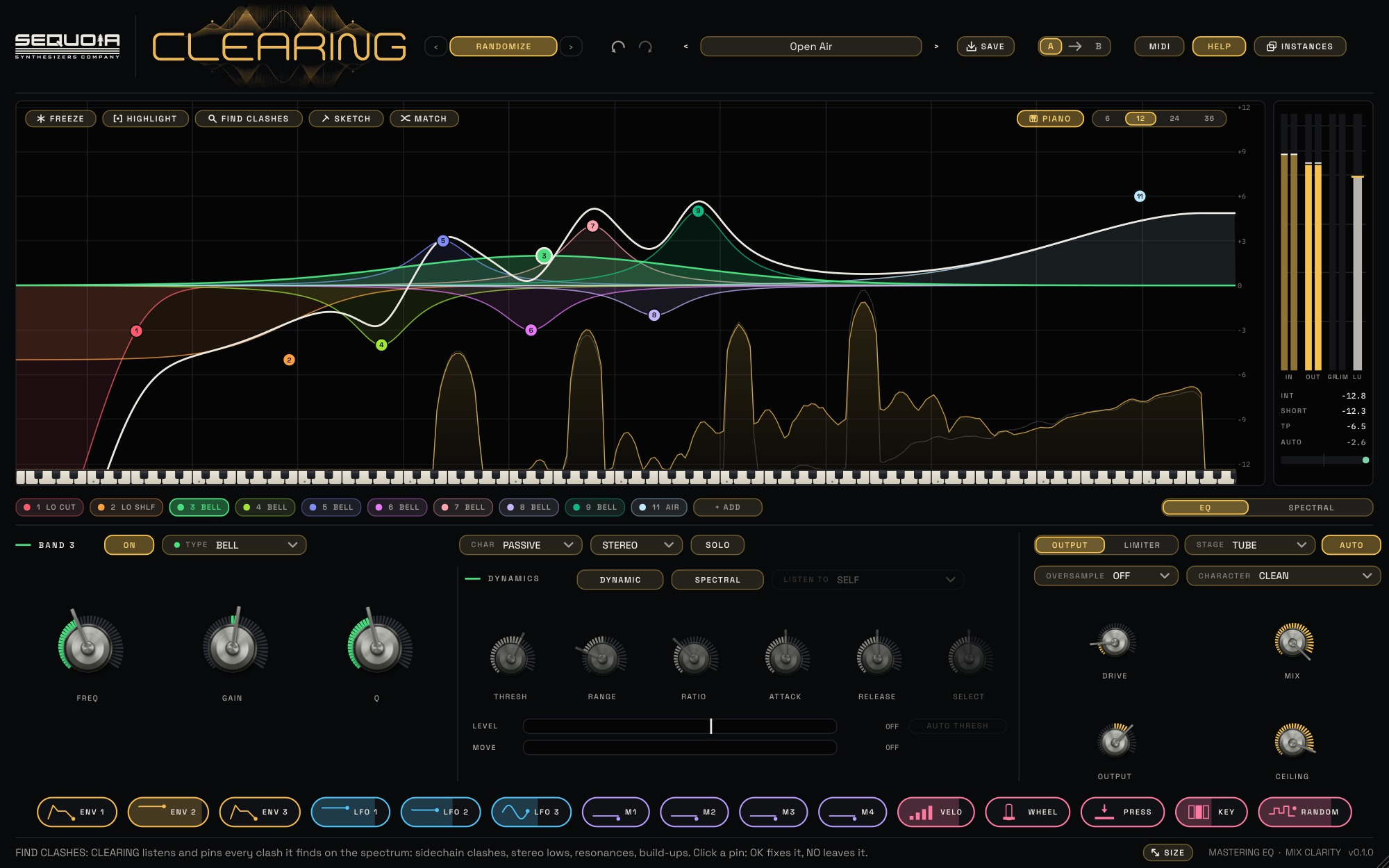
Put CLEARING on a track, a bus or the mix. If you want to check one sound against another, route the other sound to CLEARING's sidechain. Press FIND CLASHES and play the music. CLEARING checks the whole spectrum every second and a half and pins up to five places, worst first, each labelled CLASH, STEREO LOWS, RESONANCE or BUILD-UP.
Click a pin and a card says exactly what it found and the fix it will make. LISTEN plays only that area. Press OK to add the fix, or NO to leave it; FIND won't suggest that spot again.
The right fix for each clash
- A clash with the sidechain gets a dynamic dip that listens to the sidechain, so this track steps aside only while the other sound plays.
- Stereo lows get a low cut on the SIDE channel, so the low end becomes mono and solid.
- A resonance gets a narrow dynamic cut that only acts when the ring stands out.
- A build-up gets a broad dynamic cut that eases the area back when it gets thick.
Every fix is a normal band, so you can move it, change its width or turn its dynamics off.
Check a spot yourself
If you hear something FIND didn't pin, press FREEZE at the moment that sounds crowded, then HIGHLIGHT and drag across the area. CLEARING names what it finds there and offers the same kind of fix.
See every sound at once
With several CLEARINGs in a session, press INSTANCES to see each one's curve over its own sound, edit them from one window, and copy a curve from one track to another.