How to generate techno drum grooves
A good techno groove is more than a kick on every beat: ghost kicks, an open hat that drives, hats that never sit under the kick and small changes every few bars. FURROW writes all of that from your own sample library, then lets you shape it.
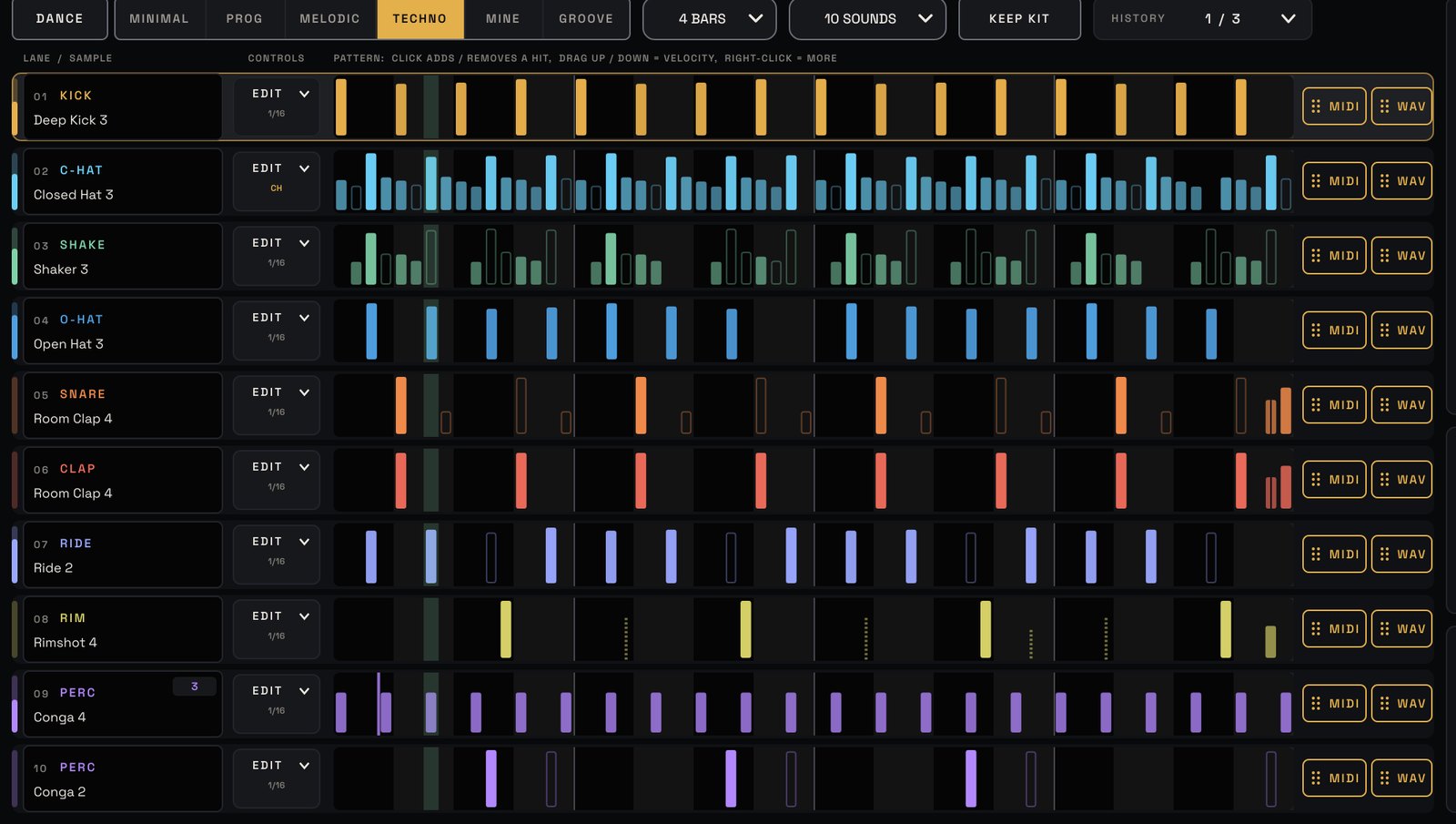
1. Point FURROW at your samples
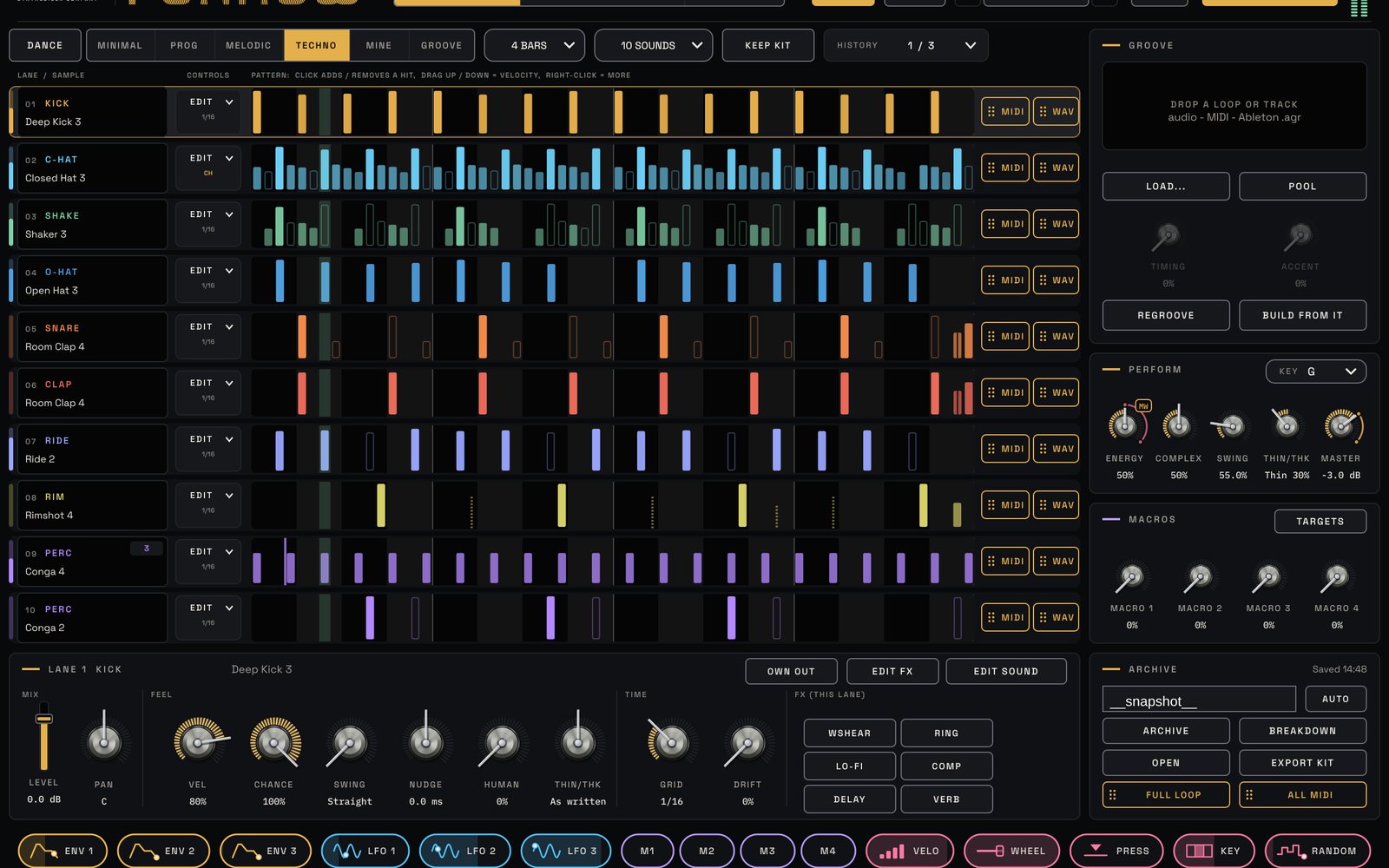
On the SAMPLE EDITOR page press + FOLDER and add your drum folders. FURROW scans them and sorts every file by itself into kicks, hats, claps, rides and percussion, keeping bass, synth and full-mix files out of the kit. In the top bar choose MY LIBRARY, and every GENERATE builds a whole new kit from your own sounds.
2. Pick a techno style
The STYLE menu holds the dance styles. Each writes differently:
- Techno: peak-time. Ghost kicks just before beats 2 and 4 swing the groove like a pendulum, a loud open hat on every off-beat with steady 16th closed hats under it, and an off-beat ride for the big sections.
- Hardgroove: the busiest and most swung, with double kicks as turnarounds, accented 16th hats, ghost-clap clusters and looped toms.
- Melodic: a strict four-on-the-floor, syncopated 16th hats with gaps and a big clap on 2 and 4.
Press GENERATE. Each generate also sets SWING to the style's home value, which you can change afterwards.
3. Keep what works, regenerate the rest
Use a lane's LOCK to keep its sound, its pattern or both, and generate again around it. Not happy? HISTORY keeps your last ten grooves.
4. Build the arrangement with ENERGY
In the PERFORM panel, ENERGY morphs the groove from sparse intro to full peak. Automate it across your track. Pull THIN/THK left for breakdowns: the four-on-the-floor and backbeat stay while the extras drop away. The Intro to Peak recipe in the manual: PROG or TECHNO, 8 bars, generate, then automate ENERGY from about 20 to 100%.
5. Add feel and tune the kick
HUMAN adds a played-by-hand feel; even 10 to 20% is clearly heard. Set KEY to your track's key and every kick and tom is tuned to it.
6. Drag it into your song
Drag the full loop, the MIDI or any single lane straight into your music software, as audio or MIDI. Every time you drag, archive or regroove, FURROW learns your habits, and its MINE style starts to write the way you do.
Try it with FURROW
Drum groove generator plugin for techno and house. See FURROW →