How to duck the bass under the kick with a dynamic EQ
When kick and bass share the same low frequencies they blur into one soft thump. Sidechain compression fixes it by turning the whole bass down. A sidechain dynamic EQ is cleaner: it dips only the kick frequency in the bass, only while the kick hits.

What you need
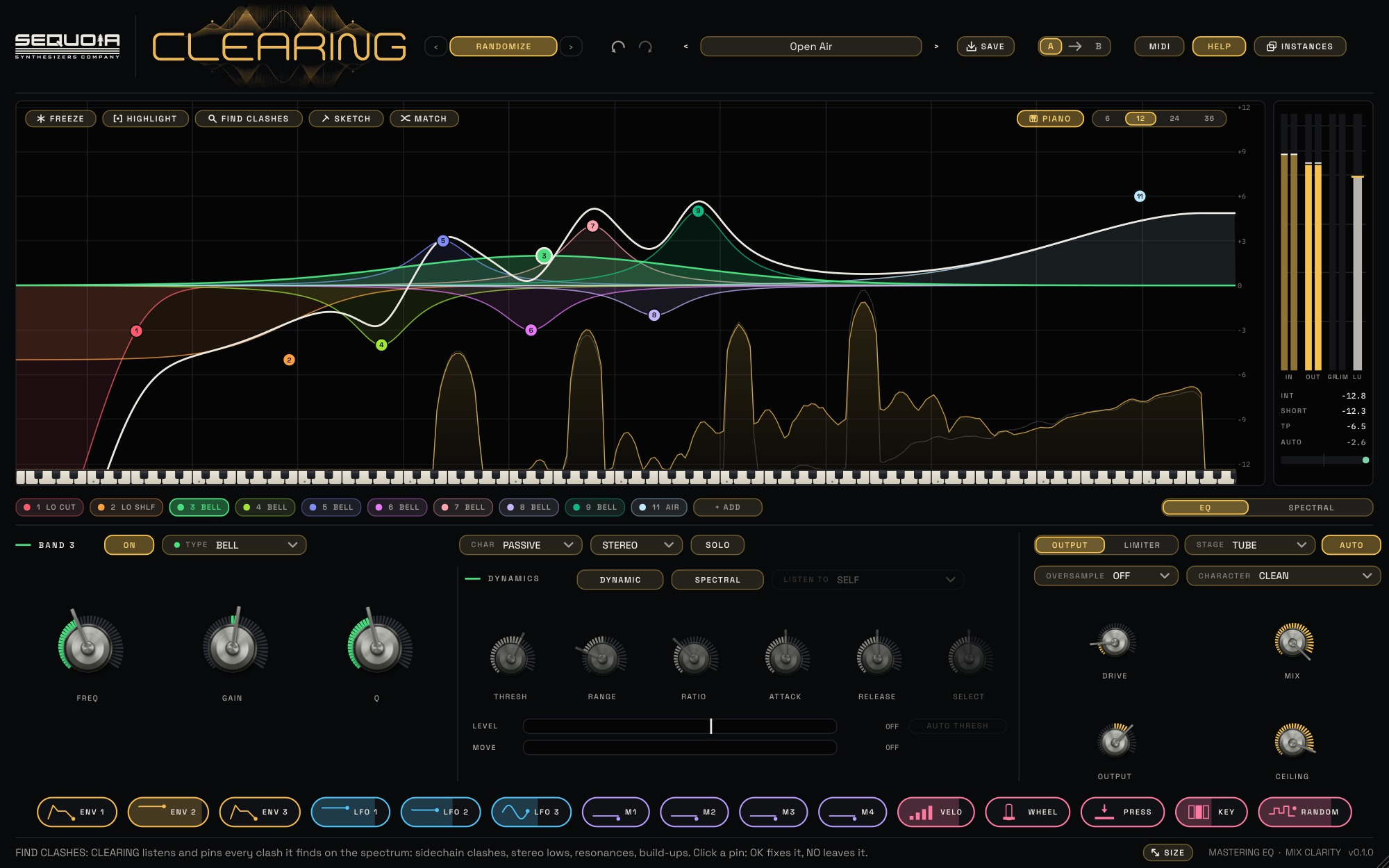
Put CLEARING on the bass track, then route the kick into CLEARING's sidechain input in your music software. When the sidechain arrives, a pale blue line appears on the spectrum, so you can see the kick next to the bass.
The quick way
- Press FIND CLASHES and play the music.
- CLEARING pins the places where the bass and the sidechain fight. Click the CLASH pin.
- Press OK. CLEARING adds a dynamic dip that listens to the sidechain, so the bass steps aside only while the kick plays.
Or load the factory preset Clearing – Sub Under Kick and adjust from there.
Setting it up by hand
- Add a BELL at the kick's main frequency. Click the peak of the kick on the pale blue line to find it.
- Turn on DYNAMIC and set LISTEN TO to SIDECHAIN.
- A new dynamic band starts at RANGE −12 dB and RATIO 2. Set THRESH so each kick passes the white mark on the LEVEL meter and the gaps stay under it.
- Use ATTACK and RELEASE to fit the dip to the kick: fast attack, and a release about as long as the kick's body.
The rest of the time the bass is untouched, so it keeps its full weight between the hits. The MOVE meter shows how far the band dips on every kick.
Why it sounds better than ducking the whole bass
Volume ducking pulls down the bass harmonics and the attack too, which can make the bass line pump and lose definition. A dynamic EQ only touches the narrow area where the two sounds collide. You keep the growl and the notes; the kick gets its own space.
The same trick elsewhere
A vocal pocket works the same way: CLEARING on the synth or guitar bus, the vocal on the sidechain, a dynamic bell at 2 to 4 kHz set to MID and listening to the sidechain. The synths step aside only while the singer sings.