Reverb without mud: clear vocals and drums in a real space
Reverb is the quickest way to make a mix feel deep, and the quickest way to make it muddy. The tail piles up low mids, blurs the start of every word and fills the gaps the groove needs. A few settings keep the space and lose the mud.
Why reverb muddies a mix
Three things usually go wrong. The tail carries low end that stacks up under the kick and bass. It starts at the same moment as the sound, so it blurs consonants and transients. And it keeps playing at full level while the next note arrives, so the space never empties. Each one has its own fix.
1. Cut the low end out of the reverb
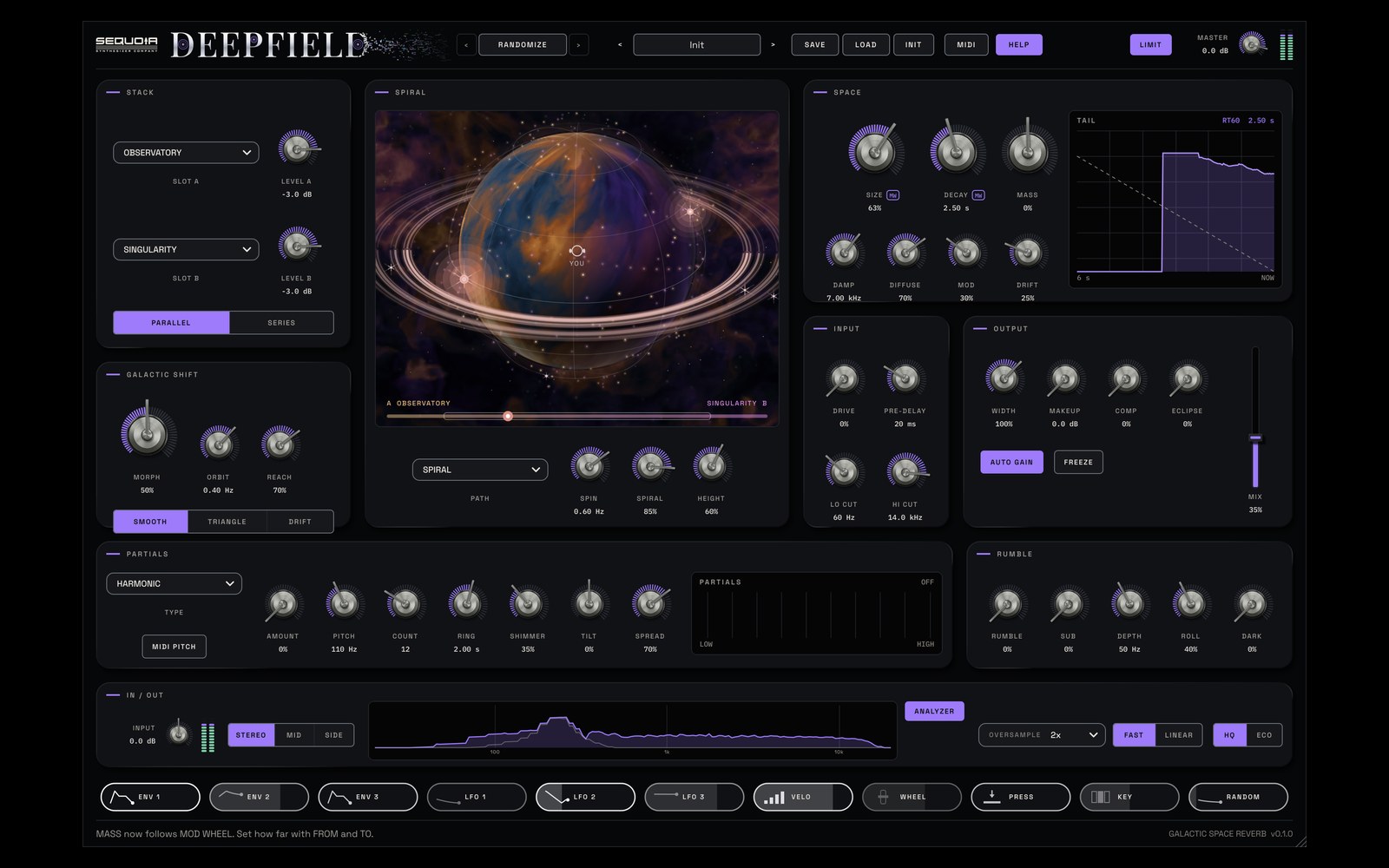
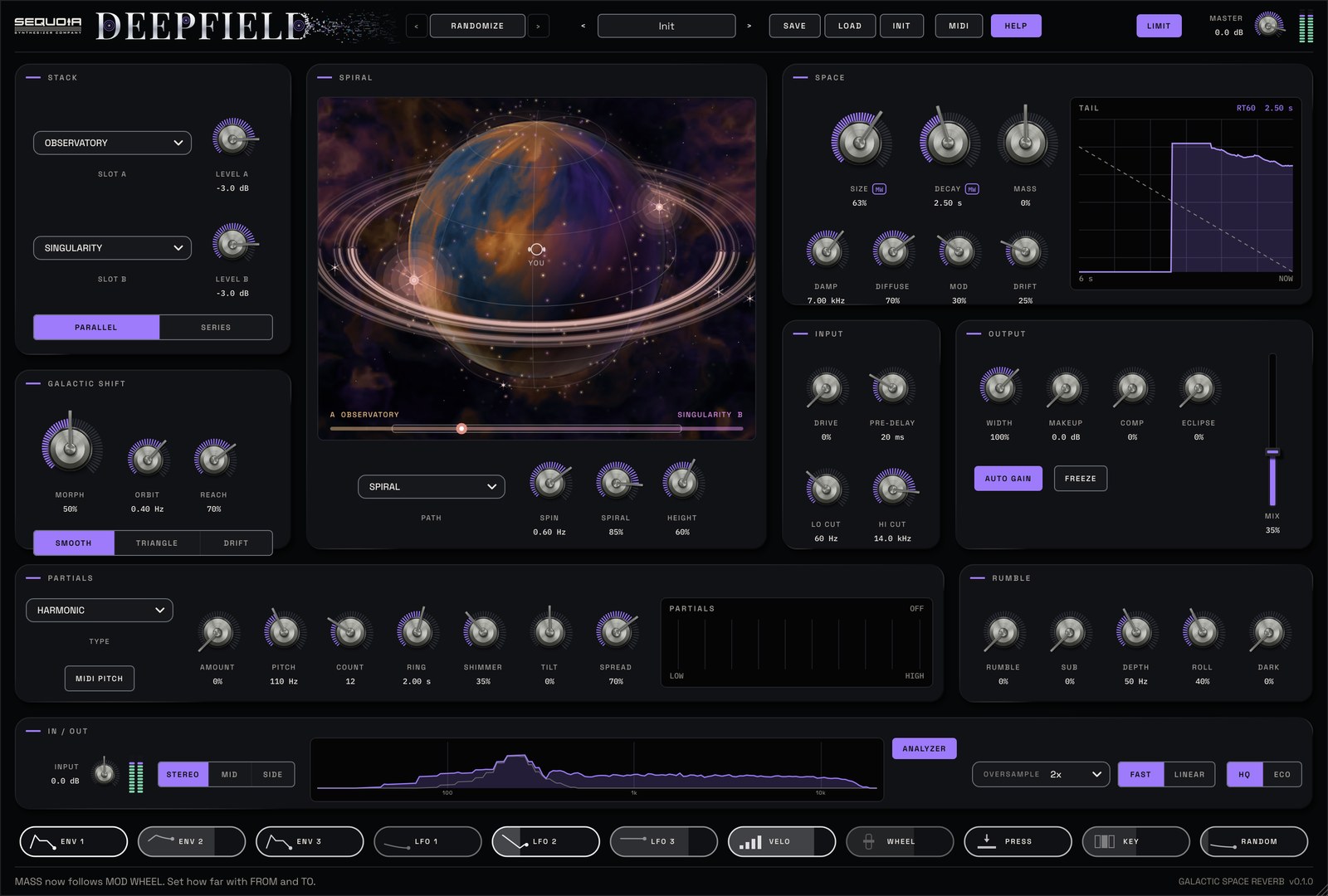
In DEEPFIELD, LO CUT (20 Hz to 2 kHz, 24 dB per octave) removes low end from the reverb twice: on the way in, and again on the tail coming out, so even the engines' own low end goes. Your dry sound is never touched. Around 200 Hz suits vocals; on drums, try 200 to 400 Hz to keep the kick dry. If the tail gets splashy, lower HI CUT for a softer, more distant space.
2. Give the sound a head start with pre-delay
PRE-DELAY starts the reverb up to 2 seconds late while the dry sound stays exactly in time. On vocals, 40 to 80 ms keeps every word clear while the space blooms behind it. On drums, keep it short so the room still sounds attached to the hit.
3. Duck the tail while the sound plays
ECLIPSE, in the OUTPUT panel, ducks the reverb while you play, so it blooms in the gaps and never muddies the sound. It does the job of a sidechain compressor on the reverb return, with nothing to route. Start around 30 to 40% on a vocal and listen to the space open up between phrases.
4. Choose what the reverb hears
PROCESS sets whether the reverb hears the whole STEREO signal, only the MID (vocal, kick, bass) or only the SIDE (wide guitars, room sound). On a busy bus, reverb on the sides alone adds depth while the centre stays focused. Again, the dry sound is never changed.
5. Pick a space and a decay that fit
Long tails belong on slow parts. For a vocal, a plate under 2 seconds is often plenty; for drums, a small room under a second. OBSERVATORY covers rooms, chambers and halls with natural early reflections, and CORONAL PLATE is a bright, dense plate that sits well on vocals and snares. On OBSERVATORY, MASS moves the space up close (down) or further away (up).
Two recipes from the manual
A vocal that stays clear: slot A CORONAL PLATE, slot B OFF, DECAY 1.8 s, PRE-DELAY 60 ms, LO CUT 200 Hz, ECLIPSE 40%, MIX 25%. The plate blooms between phrases and gets out of the way while you sing.
Drums in a real room: slot A OBSERVATORY, SIZE 25%, DECAY 0.8 s, MASS −40% (up close), DIFFUSE 50%, LO CUT 300 Hz, MIX 20%.
Judge it in the mix
Solo the reverb only to shape it, then judge it with everything playing. With AUTO GAIN on, the tail stays at a steady level as you change engines and DECAY, so you can compare by ear without jumps in level. If the low mids still feel thick, the guide to removing mud from a mix shows how to find the build-up between 200 and 500 Hz. For long, lush spaces on pads, see ambient reverb for pads.
Questions
How much pre-delay should I use on vocals?
Start between 40 and 80 ms. The dry vocal stays in time and the reverb arrives just after each word, so the consonants stay clear while the space blooms behind them.
Should I EQ my reverb?
Almost always cut the lows. DEEPFIELD's LO CUT removes low end on the way into the reverb and again on the tail coming out. 200 Hz is a good start on vocals, and 200 to 400 Hz on drums.
What does ducking a reverb do?
It turns the tail down while the sound plays and lets it swell back in the gaps, so the reverb never covers the next note. In DEEPFIELD this is ECLIPSE, with no sidechain routing needed.
Try it with DEEPFIELD
Space reverb plugin for ambient and cinematic sound. See DEEPFIELD →
$7935% off for the sign-up list at launchStore links and the 14-day free trial go live at launch. The trial just needs a free Sequoia account.